
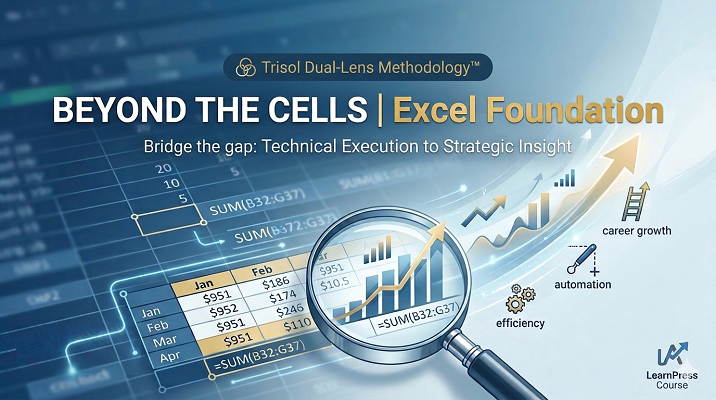
Beyond the Cells | Excel Foundation
Transforming Excel from a spreadsheet into a robust, automated database.
Overview
Beyond the Cells | Excel Foundation
Learning Outcomes
By the end of this course, participants will be able to:
- Adopt the Dual-Lens Perspective
-
- Synthesize technical Excel functions with strategic business logic to move beyond manual data entry.
- Articulate how automated efficiency and data mastery serve as catalysts for professional career growth.
- Navigate and Manage Data with Precision
-
- Master grid coordinates and range addressing to build a foundation for error-free formula construction.
- Execute high-speed navigation techniques and keyboard shortcuts to increase workflow productivity and reduce reliance on manual mouse movements.
- Implement Professional Data Standards
-
- Automate repetitive data sequences using the Fill Handle to ensure 100% consistency across time-series data.
- Construct structured data tables that “think like a database,” ensuring compatibility with future advanced analysis tools like Pivot Tables.
- Design Executive-Ready Reports
-
- Apply visual hierarchy and formatting principles to transform raw data into readable, professional reports.
- Optimize report layouts using column resizing, text wrapping, and row organization to facilitate “at-a-glance” decision-making for stakeholders.
- Execute Dynamic Calculations
-
- Distinguish between static mathematical inputs and dynamic cell references to create self-updating worksheets.
- Deploy foundational functions like =SUM() to aggregate large datasets accurately and efficiently.
- Deconstruct the anatomy of an Excel function to independently troubleshoot and audit formulas.
Course Overview
Learn to navigate, input, and format data in Excel while understanding the strategic logic behind every click. This course transforms manual workers into data-driven professionals.
Section 1: The Trisol Mindset
Lesson 1.1: Welcome to the Dual-Lens Methodology™
- Technical Lens: Introduction to the Excel interface.
- Strategic Lens: Understanding why “data mastery” is a career catalyst. Moving from manual struggle to automated efficiency.
- Activity: Review the Trisol philosophy and set your learning goals.
Section 2: Navigating the Grid
Lesson 2.1: Cell Addresses & Range Mastery
- Technical Lens: Identifying cell coordinates (e.g., A1) and range addresses (e.g., B3:G37).
- Strategic Lens: Why standardized addressing is the backbone of error-free formulas.
- Task: Identify the orange-highlighted ranges in the practice file.
Lesson 2.2: Speed Navigation & Shortcuts
- Technical Lens: Using Ctrl + Arrow Keys, F5 (Go To), and Ctrl + Home/End.
- Strategic Lens: Reclaiming “micro-minutes”—how navigating without a mouse increases professional output by 20%.
- Task: Jump to cell E200 and K200 to verify your answers instantly.
Section 3: Professional Data Input
Lesson 3.1: The Fill Handle (Series Automation)
- Technical Lens: Using the Fill Handle to drag consecutive months (Jan, Feb) and days (Mon, Tue).
- Strategic Lens: Eliminating manual entry errors and ensuring data consistency for future time-series analysis.
- Task: Populate a 12-month row and a 7-day column starting from cell C6.
Lesson 3.2: Structuring Data Tables
- Technical Lens: Creating a structured data range (B32:G37).
- Strategic Lens: “Think like a database”—how proper table structure enables advanced features like Pivot Tables later on.
Section 4: Formatting for Clarity
Lesson 4.1: Report Layout & Organization
- Technical Lens: Resizing columns, wrapping text, and moving rows using the Move Handle.
- Strategic Lens: Data Storytelling—ensuring your reports are readable for executives at a glance.
- Task: Reorganize the Departmental Headcount report (Move HR row, resize columns).
Lesson 4.2: Visual Hierarchy in Data
- Technical Lens: Applying bold headers, borders, and alignment.
- Strategic Lens: Reducing cognitive load for your audience by highlighting key data points.
Section 5: Foundations of Calculation
Lesson 5.1: Mathematical vs. Excel Formulas
- Technical Lens: Writing manual math (10+20) vs. using cell references (=B9+C9).
- Strategic Lens: The Power of Connectivity—why cell references make your worksheets “alive” and self-updating.
Lesson 5.2: Introduction to Functions (=SUM)
- Technical Lens: Using the =SUM() function to aggregate large ranges.
- Strategic Lens: Scalability—how functions allow you to process thousands of rows in seconds.
- Task: Sum the monthly headcount for all departments.
Lesson 5.3: Anatomy of a Function
- Technical Lens: Understanding the three parts: Equal Sign (=), Function Name (SUM), and Arguments (Range).
- Strategic Lens: Decoding Excel’s language to troubleshoot any formula independently.
Learn more about our exclusive methodology: Trisol Dual-Lens Methodology™
About the Resource Person: Click Here
Note: This is a free course with material included. No live classes in this course. Commencing 28th March 2026.
Curriculum
Curriculum
- 7 Sections
- 6 Lessons
- Lifetime
- Section 1: The Trisol Mindset1
- Section 2: Navigating the Grid1
- Section 3: Professional Data Input1
- Section 4: Formatting for Clarity1
- Section 5: Foundations of Calculation1
- Excel Material1
- QuizBeyond the Cells Quiz1
Instructor

You May Like

The 21st Century Accelerator: Soft Skills & Professional Readiness
Course Title: The 21st Century Accelerator: Soft Skills & Professional Readiness Target Audience: Gen Z Entering the Workforce (University Students & First-Time Job Seekers)...
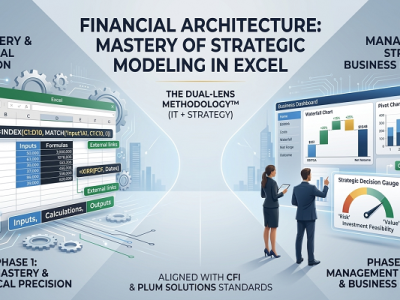
Financial Architecture: Mastering Strategic Modeling in Excel
Course Title: Financial Architecture: Mastery of Strategic Modeling in Excel Focus: Corporate Finance, Investment Analysis, and Advanced Spreadsheet Logic Standard: Aligned with Global Financial...

Excel : Advanced Data Architecture & Strategic Business Intelligence
Transforming Excel from a spreadsheet into a robust, automated database.
Course Features
- Lectures 6
- Quizzes 1
- Duration 4 hours
- Skill level All levels
- Language English
- Students 1
- Assessments Yes